๐ŸŽจ Online Art Lessons ยท Ontario-wide

Art lessons,
from anywhere.

The same SYNERGY art experience โ€” same teachers, same curriculum, same individual attention โ€” delivered live via Zoom or Google Meet. Available for students across Ontario and beyond.

Ages 5โ€“6+ Private & semi-private All skill levels Ontario & beyond
How we connect
๐ŸŽฅ
Zoom
Free ยท works on any device
๐Ÿ“น
Google Meet
Free ยท no account required
Your lesson link is emailed with every reminder โ€” no hunting for links before class.
๐Ÿ“ž East Academy: 905-846-5000 ๐Ÿ“ž South Academy: 289-544-4000 Register Now โ†’
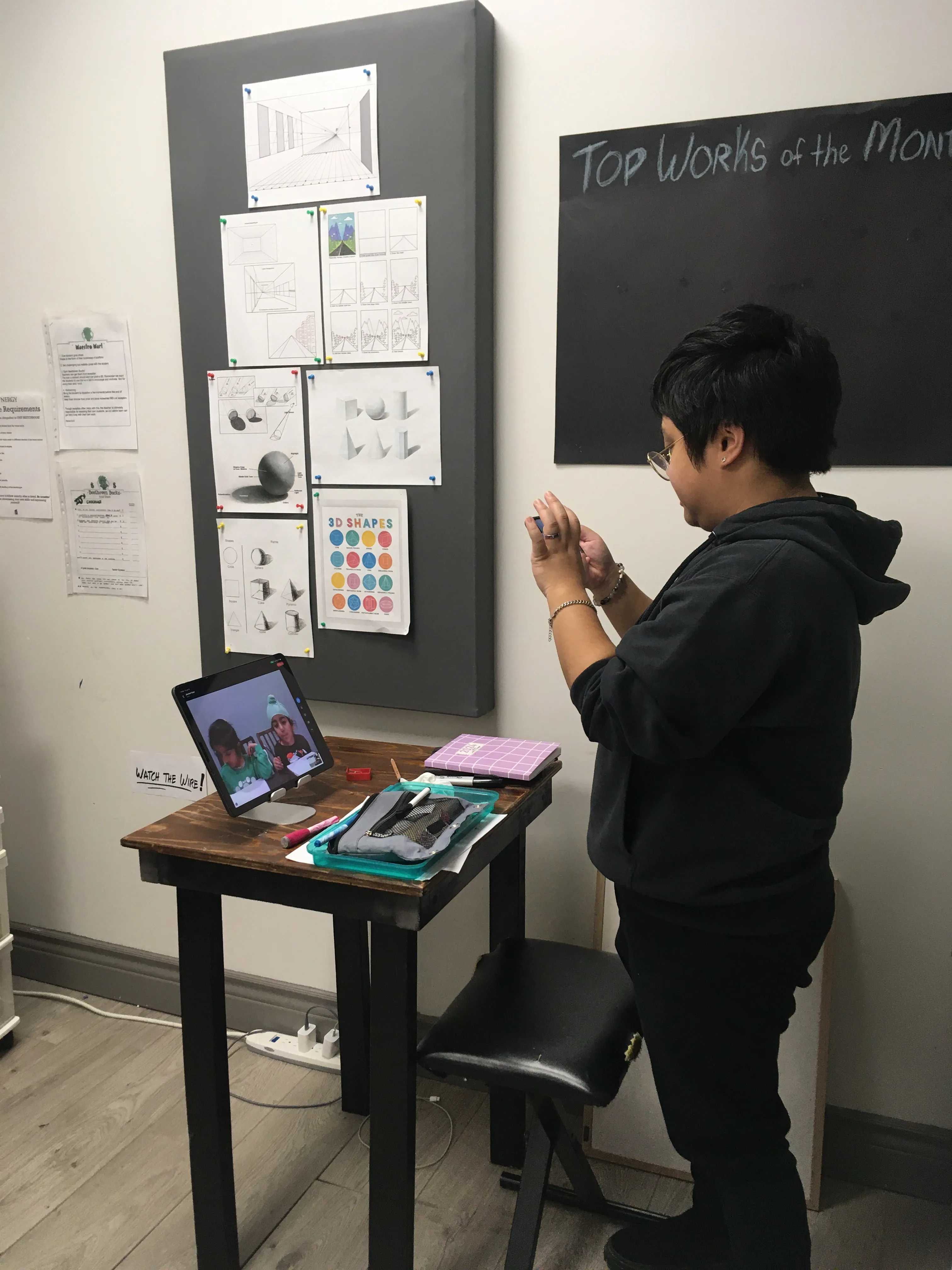
Online art lesson at SYNERGY
๐Ÿ“ธ
Online art lesson photo
Why Online Art Works

The quality of the lesson travels with you.

Art is one of the most naturally suited subjects for online teaching. A student working at their desk at home is in a comfortable, familiar creative space โ€” and a well-positioned camera gives the teacher a clear view of the work in progress.

Our online art teachers use the same curriculum and the same student-led approach as in-studio lessons. Each lesson still begins with where you are and what you want to explore โ€” whether that's building foundational skills, developing a personal style, or preparing a portfolio.

๐ŸŽ“
Same teachers, same approach
The same SYNERGY art instructors. The same student-led curriculum. The same individual attention.
๐Ÿ 
Create in your own space
Many students find their own desk or studio space at home more comfortable and creatively freeing than working in a classroom.
๐ŸŒ
Available across Ontario
Students anywhere in Ontario โ€” and beyond โ€” can access SYNERGY art instruction online.
Online Art Lesson Pricing

Same pricing as in-studio.

Online art lessons are offered at the same rate as our in-studio programs. You get the same quality of instruction โ€” the only difference is where you're sitting.

๐Ÿ‘ค
Private Art Lessons
One-on-One ยท Fully Tailored
Contact Us
for private lesson pricing
  • โœ“Fully one-on-one with your teacher
  • โœ“Lesson entirely around your goals and interests
  • โœ“Ideal for RAP & portfolio preparation
  • โœ“All styles and skill levels
  • โœ“Ages 5โ€“6 and up
Contact us to discuss private lesson pricing and availability.
What You Can Learn Online

All the same styles โ€” delivered online.

Every art style offered in our Brampton studios is available online. Students work through a curriculum that builds foundational techniques while always following the lead of their interests and goals.

โœ๏ธ
Drawing
Line work, form, shading, perspective, and observational drawing. The foundation of all visual art โ€” and works beautifully online with a camera pointed at the work surface.
๐ŸŽจ
Painting
Acrylic, watercolour, and gouache techniques. Colour mixing, brush control, composition, and developing a personal painting voice. Students work with supplies they have at home.
๐Ÿ’ง
Watercolour
Washes, layering, wet-on-wet, and controlled detail work. Watercolour is one of the most popular styles for online students โ€” easy to set up at home with minimal supplies.
๐Ÿ–ค
Charcoal & Sketching
Expressive mark-making, blending, value studies, and portrait work. Charcoal and sketch media are among the easiest to source for home use.
๐Ÿงฉ
Mixed Media
Combining materials, textures, and techniques in creative and unexpected ways. Mixed media encourages experimentation โ€” a natural fit for student-led learning.
๐Ÿ†
RAP & Portfolio Prep
Students preparing for Regional Arts Program auditions or building a visual arts portfolio receive focused, goal-oriented instruction โ€” fully available online.
Getting Set Up

Simple to set up โ€” no special equipment.

Online art lessons are one of the easiest subjects to set up at home. You don't need a ring light, a professional camera, or a dedicated art space. A phone or tablet, a decent internet connection, and your regular art supplies are genuinely all you need.

The most important thing is the camera angle โ€” your teacher needs to see your work as you're making it. Here's how to set up well.

What you need:
๐Ÿ’ป
Device with camera (phone, tablet, or laptop)
โœ“
๐Ÿ“ถ
Reliable internet connection
โœ“
๐ŸŽจ
Your art supplies
โœ“
๐Ÿ’ก
Good natural or overhead lighting
โœ“
๐Ÿ“
A clear, flat work surface
โœ“
You do NOT need:
โœ•
A professional camera or ring light
โœ•
Special software or apps
โœ•
A dedicated art studio space
โœ•
Any supplies beyond what you already use
How to position your camera for art:
1
Position your device overhead or at an angle above your work surface. Your teacher needs to see the artwork from above โ€” not your face from the front. This is the most important thing to get right.
2
A phone propped at an angle works well. Lean it against a cup, a book stack, or a small stand so the camera looks down at your paper or canvas at roughly a 45-degree angle.
3
Lighting matters for art more than most subjects. Work near a window or under a bright overhead light. Shadows across your work make it hard for your teacher to see colour and value accurately.
4
Make sure your whole work area is in frame โ€” not just the section you're currently working on. Your teacher watches composition and overall progress, not just fine detail.
5
Have your supplies organised before the lesson starts. Scrambling for a brush mid-lesson wastes precious time. Lay everything out beforehand.
๐Ÿ’ก Best setup: phone or tablet propped at a 45ยฐ angle above your work surface, near a window. Simple, effective, and easy to adjust during the lesson if needed.
Hybrid Lessons

In-studio or online โ€” your choice each week.

Students who normally attend in-studio can switch to online for any lesson โ€” and return the following week without any disruption. Same teacher, same time slot, no paperwork.

Art is one of the smoothest transitions between in-studio and online โ€” your materials come with you, and the lesson carries on exactly as it would in the studio.

See In-Studio Art Lessons โ†’
When hybrid is useful:
๐Ÿš—
Ride can't be arranged
A scheduling conflict or transport issue doesn't have to mean a missed lesson.
๐Ÿคง
A little under the weather
Well enough to create, better to stay home? Online keeps things going.
โ„๏ธ
Snow days & bad weather
Brampton winters are real. Online means lessons happen regardless.
๐Ÿ 
Just prefer to be home
No reason needed โ€” if online works better for a particular week, it's always an option.
No advance notice required โ€” just let us know before your lesson time and we'll have the link ready.
Common Questions

Online art lessons FAQs.

What art styles are available online?+
All of SYNERGY's art styles are available online โ€” drawing, painting, watercolour, charcoal and sketching, mixed media, and RAP or portfolio preparation. The program is the same online as it is in-studio.
What's the difference between semi-private and private art lessons?+
Semi-private lessons have up to 4 students sharing a session at $29 per hour each โ€” a great option for friends, siblings, or classmates who want to learn together. Private lessons are fully one-on-one, with the entire lesson focused on a single student. Contact us for private lesson pricing.
What supplies does my child need at home?+
Your child needs whichever art supplies suit the style they're working in โ€” pencils and paper for drawing, watercolour sets for watercolour, acrylics for painting, and so on. Your teacher will let you know what to have on hand before lessons begin. You don't need anything beyond standard art supplies available at any craft store.
How should I set up my camera for an online art lesson?+
The most important thing is that your camera points at your work, not just your face. Prop your phone or tablet at a 45-degree angle above your work surface so your teacher can see the artwork clearly as you make it. Good overhead or natural lighting makes a real difference for art โ€” shadows across the work make colour and value hard to see. See the setup guide above for full tips.
What platform do you use?+
We use Zoom and Google Meet โ€” both free and available on any device. Your lesson link is emailed with every lesson reminder so you always have it ready.
Can students who normally attend in-studio switch to online?+
Yes โ€” hybrid lessons are available. In-studio students can switch to online for any lesson and return the following week without disruption. Just let us know before your lesson time and we'll have the link ready. No advance notice required beyond that.
Are online art lessons available for students outside Brampton?+
Yes โ€” online art lessons are available to students anywhere in Ontario and beyond. If you're outside the GTA and looking for quality art instruction, SYNERGY's online program is available to you.
Ready to create from anywhere?

Semi-private $29/hr ยท private lessons available ยท all styles ยท all ages ยท Ontario-wide